1
/
of
6
Targus
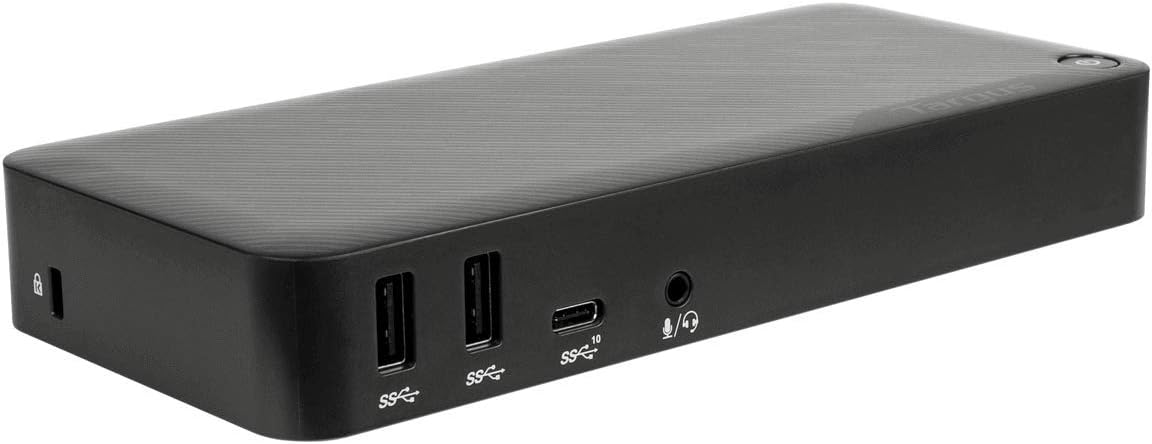
Targus DOCK430 USB-C Multi-Function DisplayPort Alt Mode Video Docking Station with 85W Power - Broad Compatibility with a Range of Hosts, Devices, Peripherals, Laptops, and Operating Systems
Targus DOCK430 USB-C Multi-Function DisplayPort Alt Mode Video Docking Station with 85W Power - Broad Compatibility with a Range of Hosts, Devices, Peripherals, Laptops, and Operating Systems
Regular price
$149.97 USD
Regular price
Sale price
$149.97 USD
Shipping calculated at checkout.
Quantity
Couldn't load pickup availability
Overview
- Brand : Targus
- Color : Black
- Hardware Interface : DisplayPort, HDMI, Thunderbolt, USB, USB Docking Station
- Compatible Devices : Notebook/Tablet PC/Desktop PC/Smartphone/Monitor
- Total USB Ports : 4
- Product Dimensions : 7.1"L x 3.25"W x 1.1"H
- Number of Ports : 5
- Item Weight : 2.57 Pounds
- Total HDMI Ports : 1
- Wattage : 85 watts
About this item
- Enhance Your Workspace: Create a more powerful, productive workstation with the Targus USB-C DisplayPort Alt. Mode Docking Station with 85W Power. Sleek and powerful, this Alternate Mode hosts packs all the ports and power you need in one dock
- Crisp, Clear Native Video: With two DisplayPort 1.4 ports and one HDMI 2.0 port, you’re able to support three HD monitors (1920x1080 p60), two 2K monitors (2560x1440 p60) or one 4K monitor (3840x2160 p60) and various lower resolutions
- Multiple Ports and Connections: Customize with the latest keyboards, external drives, and other essential peripherals with a combination of USB-A (4 USB 3.2 Gen1 ports, 1 fast-charging) and USB-C (1x 3.2 Gen2), plus Ethernet and audio ports
- Stay Charged: Provides up to 85W of USB Type-C Power Delivery at all popular voltages including 5, 9, 12, 15, and 20Vdc. Efficient charging is close at hand with one powered USB 3.2 Gen1 port for keeping smartphone, tablet, or other devices powered up
- Additional Space: Also comes equipped with a VESA bracket mounting provision, which allows you to utilize a Targus VESA Mount Bracket (ACX003GLZ - sold separately) to hold your dock behind your display to free up more space in your workstation
Share